
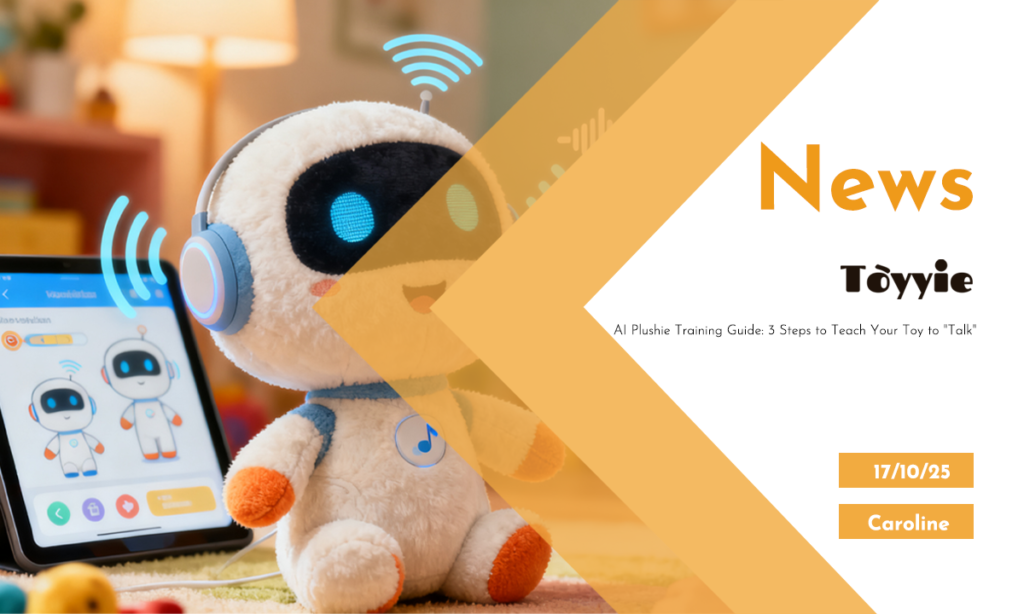
📌 Introduction📌
Hey toy makers, parents, and tech-curious creators,
We’ve been building plush toys for over a decade — from classic teddy bears to high-tech AI companions.
And lately, one question keeps coming up:
> “How do I get my smart plush to actually *feel* smart?”
It’s not enough for a toy to just say, “Hello!” and play a sound.
Kids — and let’s be honest, adults too — want **real interaction**. They want their toy to listen, understand, and respond like it *gets* them.
So today, I’m pulling back the curtain.
As someone who helped design and manufacture AI-enabled plush for brands in the U.S. and Europe, I’ll walk you through the **3 real steps** to train your AI toy to “talk” — not just recite lines.
No PhD required. Just curiosity.
Let’s go.
🔊 Step 1: Teach It to Listen (And Understand What Matters)
Before your plush can respond, it needs to *hear* — and more importantly, **know what to pay attention to**.
Most AI plushies use a simple voice recognition system (like a mini Alexa or Google Assistant, but safer and toy-focused).
But here’s what many users miss:
**You need to train the ears.**
Here’s how:
– Open the companion app (usually Bluetooth-connected).
– Say phrases like:
– “Hey, Buzzy!”
– “Are you awake?”
– “Can we play?”
– Do this in your home environment — with background noise, different voices, etc.
> **Factory tip:** We test our mics in real homes — not quiet labs. One family had a barking dog, another a loud AC unit. If the toy can’t hear in *that*, it’s not ready.
What’s really happening?
The AI isn’t just listening for words — it’s learning your **voice pattern**, **room acoustics**, and **common triggers**.
The more you train it, the fewer false “wake-ups” and missed cues.
✅ **Pro tip:** Train it with the person who’ll use it most — especially kids. Their pitch and tone are different from adults.
💬 Step 2: Customize Its Personality (Yes, You’re the Parent Now)
This is where magic happens.
Your AI plush doesn’t have to sound like a robot from 2005.
You can shape **how it talks** — its tone, humor, even its “opinions.”
Most apps let you choose from:
– Voice style (friendly, silly, calm)
– Response length (short quips vs. full sentences)
– Language level (simple words for toddlers, richer ones for older kids)
But the best part?
👉 **You can record your own lines.**
Real example:
One parent recorded her voice saying, “I missed you today!” and uploaded it. Now, every time her daughter hugs the toy, it says it back in *Mom’s voice*.
Chills. Every time.
> **Manufacturing insight:** We use local voice servers for this — no cloud storage. Privacy first. Your voice stays with you.
Want to go further?
– Add inside jokes: “Remember the pancake flip fail?”
– Set daily greetings: “Good morning, sleepyhead!”
– Match the toy to your child’s interests: dinosaurs, space, unicorns — whatever.
This isn’t just programming.
It’s **bonding**.
🔄 Step 3: Train It Through Real Conversations (The Secret Sauce)
Here’s the truth: AI plushies don’t “learn” like humans.
But they *can* get better with use — if you interact the right way.
Think of it like teaching a puppy:
– Repeat key phrases.
– Reward good responses (some toys have “like” buttons).
– Correct misunderstandings gently.
Try this daily routine:
1. **Morning:** “Good morning, [Toy Name]!” → Encourage a response.
2.**Playtime:** Ask simple questions: “What’s your favorite color?” or “Can you tell me a joke?”
3. **Bedtime:** “Tell me a story,” or “Sing me a lullaby.”
Over time, the AI logs these patterns and starts **predicting** what kind of responses work best.
> **Behind the scenes:** Our toys use on-device machine learning. No data leaves the toy. It’s not harvesting your kid’s voice — it’s just getting better at being a friend.
What *doesn’t* work?
– One-off interactions.
– Only using pre-loaded commands.
– Expecting perfect grammar or deep philosophy (it’s a plush, not a therapist).
Keep it fun. Keep it consistent.
🛠 Bonus: Troubleshooting Tips from the Factory Floor
We’ve tested thousands of units. Here are the top 3 issues — and how to fix them:
| Problem | Quick Fix |
| Toy doesn’t wake up | Re-train in a quieter room; check mic for fabric blockage |
| Responds to TV or radio | Lower sensitivity in app; avoid placing near speakers |
| Voice sounds robotic | Switch to “natural” mode; upload custom recordings |
And one big reminder:
**Update the firmware.** We push new voice models and fixes every few months. Don’t skip it.
❤️ Why This All Matters
Let me share a story.
We sent a beta unit to a family with a non-verbal autistic child.
After two weeks of daily “chats,” the mom texted us:
*“He said his first word today — to the toy.”*
That hit hard.
This isn’t just about tech.
It’s about **connection**.
When you train your AI plush, you’re not just programming a device.
You’re building a companion.
🚀 Final Thought: You’re the Real AI Trainer
The factory builds the body.
The engineers code the brain.
But **you** — the user — give it heart.
So talk to it. Laugh with it. Let your kid teach it silly songs.
The more you train, the more it feels… alive.
And honestly?
That’s the dream we’ve been making toys for.
💬 **Have you trained your AI plush?**
What’s the funniest or sweetest thing it’s said?
Share your story below — I read every comment.